 PathRenamer
Get PathRenamer 1.7.0
For Windows 10 and 11, and for servers and NAS boxes with Docker. Renaming is free. The automatic Pro features come with a free 14-day trial.
Install in four steps
- Open the latest release and download PathRenamer-Setup-1.7.0.exe.
- Run it. If Windows shows Windows protected your PC, click More info, then Run anyway. That warning appears for apps from new publishers without a paid code-signing certificate; the installer is built by GitHub from the public source code.
- Start PathRenamer and choose your library folders (TV Shows, Movies, Anime) when it asks.
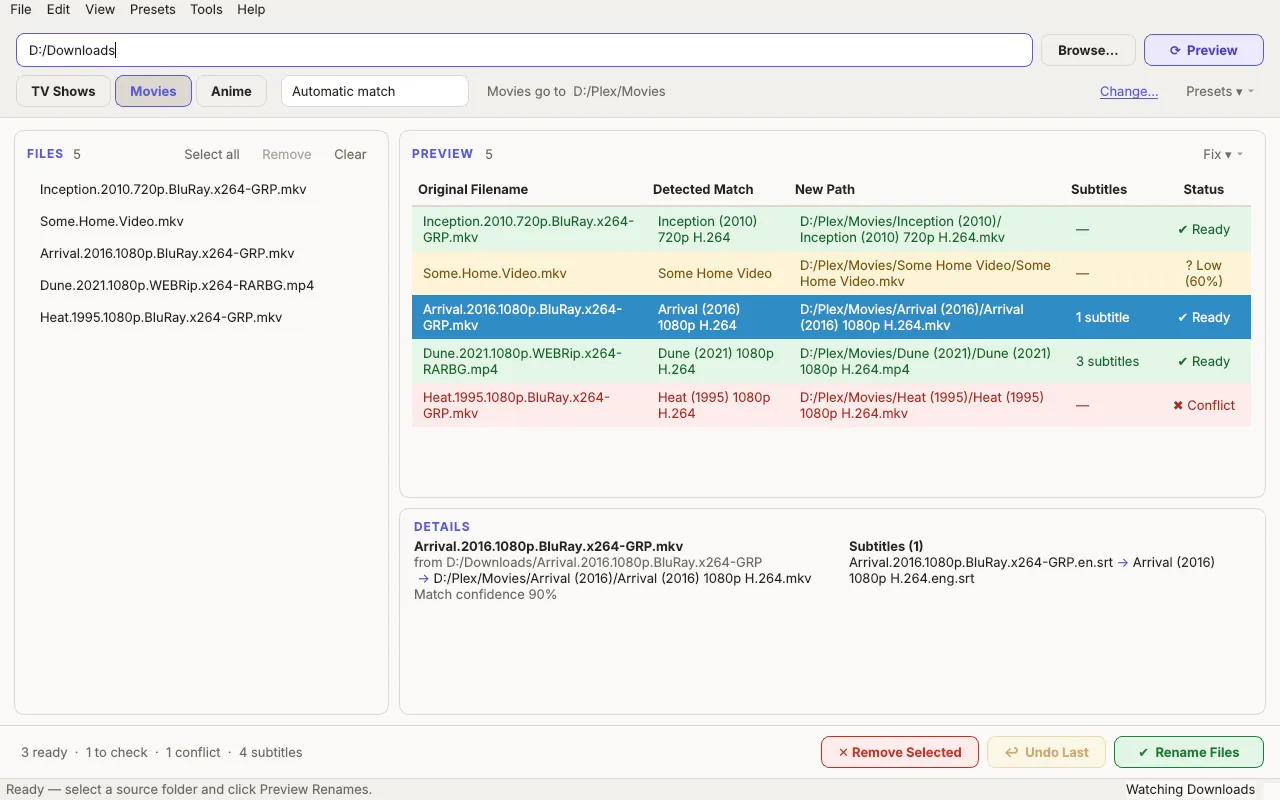
- Drop a downloads folder on the window, click Preview, then Rename Files.
Updating is one click: when a new version is out, Update to … appears at the bottom right of PathRenamer. Click it and the new version is downloaded, checked and installed, with your settings and rename history kept. Prefer no installer? PathRenamer.exe on the same page runs on its own, and updates itself the same way.
New to Plex naming? Read how to name movies and TV shows for Plex. PathRenamer does all of it for you, but it helps to know what good names look like.
On a server, NAS, Linux or Mac: Docker
The Docker version names files exactly like the Windows app, renames new downloads on its own, and has every free feature. Save this as docker-compose.yml, change the folders on the left of each :, and run docker compose up -d:
services:
  pathrenamer:
    image: ghcr.io/royalkiller2222/pathrenamer:latest
    restart: unless-stopped
    environment:
      PUID: "1000"
      PGID: "1000"
      PATHRENAMER_WATCH: /data/downloads
      PATHRENAMER_MOVIES: /data/media/movies
      PATHRENAMER_TV: /data/media/tv
      PATHRENAMER_ACTION: hardlink
    volumes:
      - ./pathrenamer-config:/config
      - /srv/data:/data
Rename by hand with docker compose exec pathrenamer pathrenamer rename /data/downloads. Everything else, from media servers to Pro, is in the Docker guide.
What's new in 1.7.0
PathRenamer 1.7.0 makes automation free, takes care of extras and knows every episode order.
- The watch folder and media server scans are now free: new downloads are renamed into your library on their own, and Plex, Jellyfin, Emby or Kodi scans them right away, without Pro. Pro is only for what costs money to run: subtitles downloaded automatically after every rename.
- Episode orders: aired, DVD, streaming and absolute (Settings → Formats). DVD, streaming and absolute orders come from TheTVDB (or TVmaze, without a TheTVDB key) for shows whose releases number episodes differently.
- Five built-in presets (Presets menu): Aired order, DVD order, Streaming order, Absolute order and Strip episode numbers, which ignores the numbers in the file names, finds each episode by its title and names it in the order you pick.
- Featurettes and other extras: files in Featurettes, Behind The Scenes, Deleted Scenes, Interviews, Trailers or Extras folders go into the movie's (or show's) folder, where Plex, Jellyfin and Emby show them as extras.
- Episodes by title: files without an episode number, like "The Office - The Dundies.mkv", are matched by their episode title.
Install with PathRenamer-Setup-1.7.0.exe, or click Update to 1.7.0 in PathRenamer 1.6.0. It keeps your settings. Docker: docker compose pull && docker compose up -d.
Every version and its changes: release history.
Requirements
- Windows 10 or 11, 64-bit
- An internet connection to look up titles, episode names and subtitles
- A media server is optional: the names work for Plex, Jellyfin, Emby and Kodi, and PathRenamer can ask any of them to scan
- Docker version: any 64-bit Intel, AMD or ARM computer with Docker